
How -to Scan to Collect
Scan to Collect is a web-based tool provided by ADB SAFEGATE, designed to help customers and contractors efficiently create, manage, and share lists for a variety of operational tasks—such as installations, replacements, claims, and surveys. The app leverages your mobile device’s camera to quickly capture and register asset data using barcode or QR code scanning, making fieldwork faster and more accurate.
What Can You Do With Scan to Collect?
Create Lists for Multiple Purposes: Whether you are installing new equipment, replacing existing assets, conducting surveys, or registering claims, Scan to Collect streamlines the process by allowing you to build task lists and record asset data on the go.
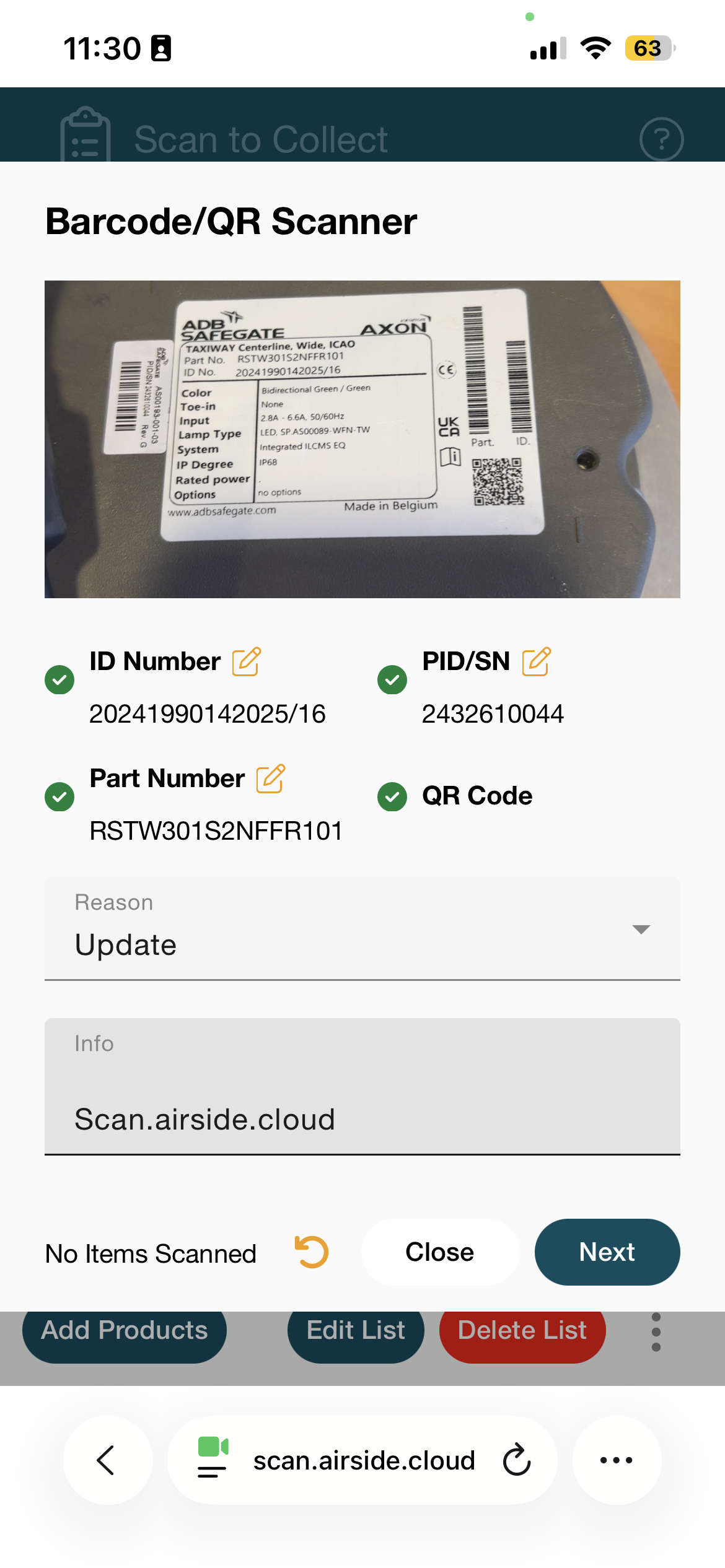
Flexible Scanning: Scan any type of barcode or QR code. For ADB SAFEGATE products, you can capture detailed information such as Product ID, Serial Number, and Modem ID (PID/SN).
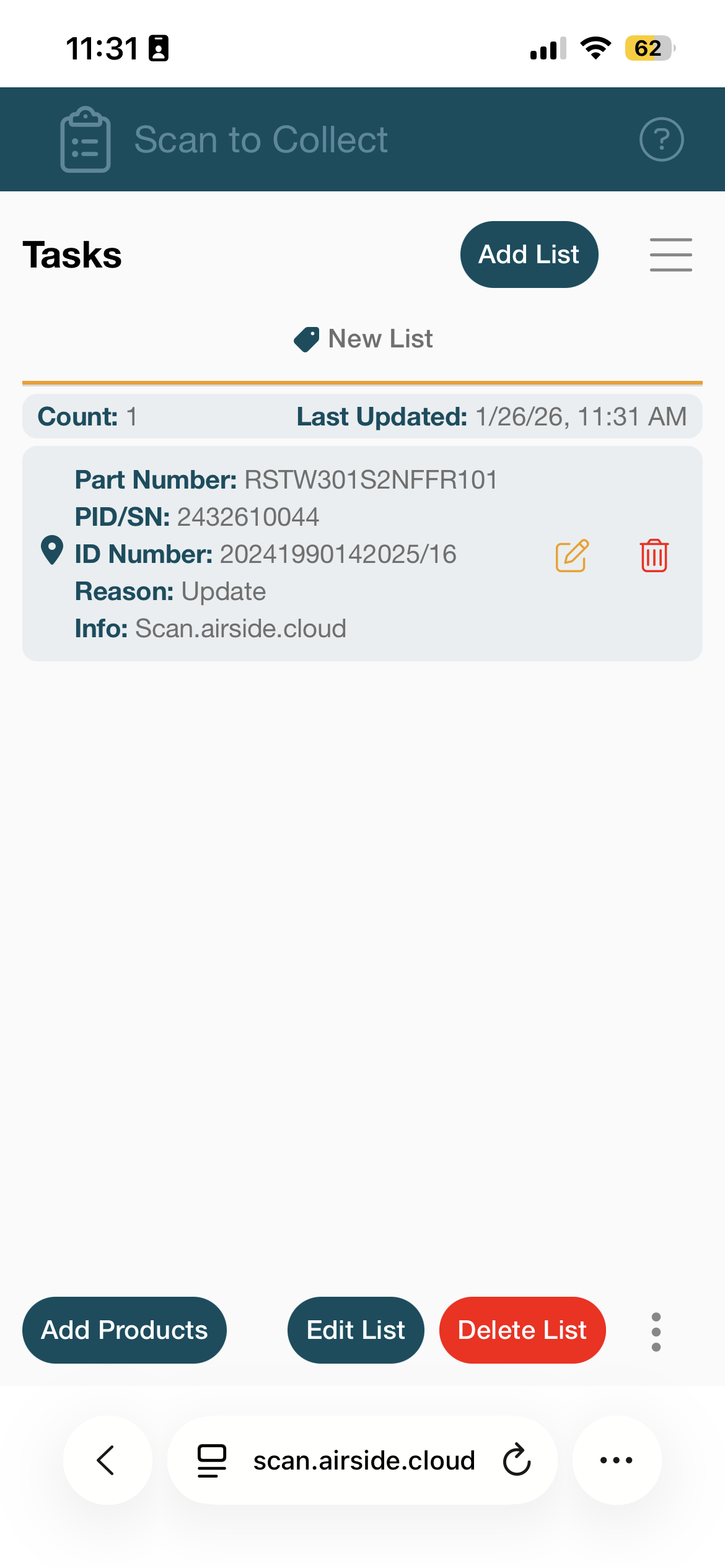
Location Awareness: When you scan a code, your device’s location is automatically registered, giving you valuable context for asset tracking and future reference. (Don’t worry, you can always turn off your location tracking in the setting)
Import/Export Data: Easily import existing task lists from CSV or Excel files, and export your completed lists for sharing, record-keeping, or integration with other systems.
Integration with Support: After completing your tasks, you can create a support ticket and attach your exported data directly from the app via the ADB SAFEGATE support portal, ensuring fast and accurate assistance.
Key Features
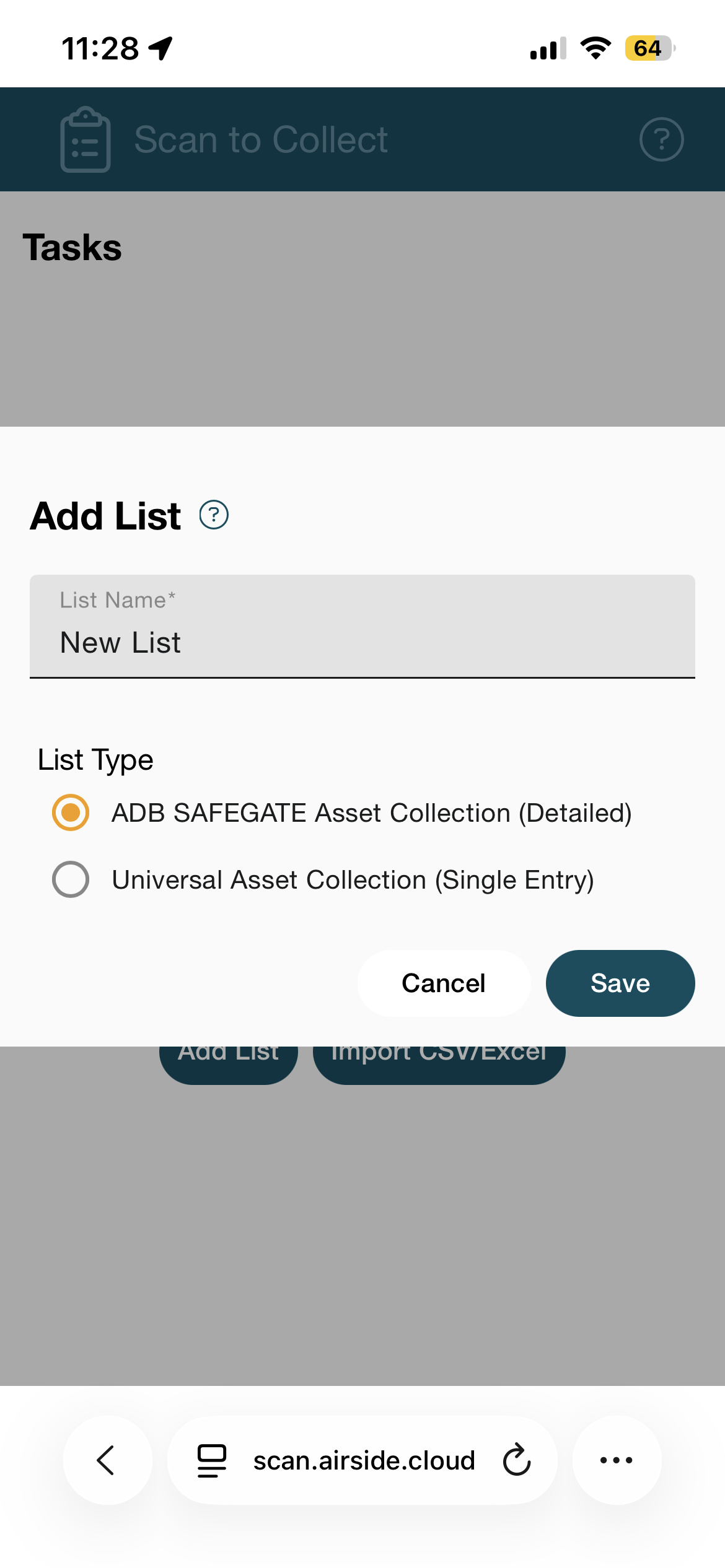
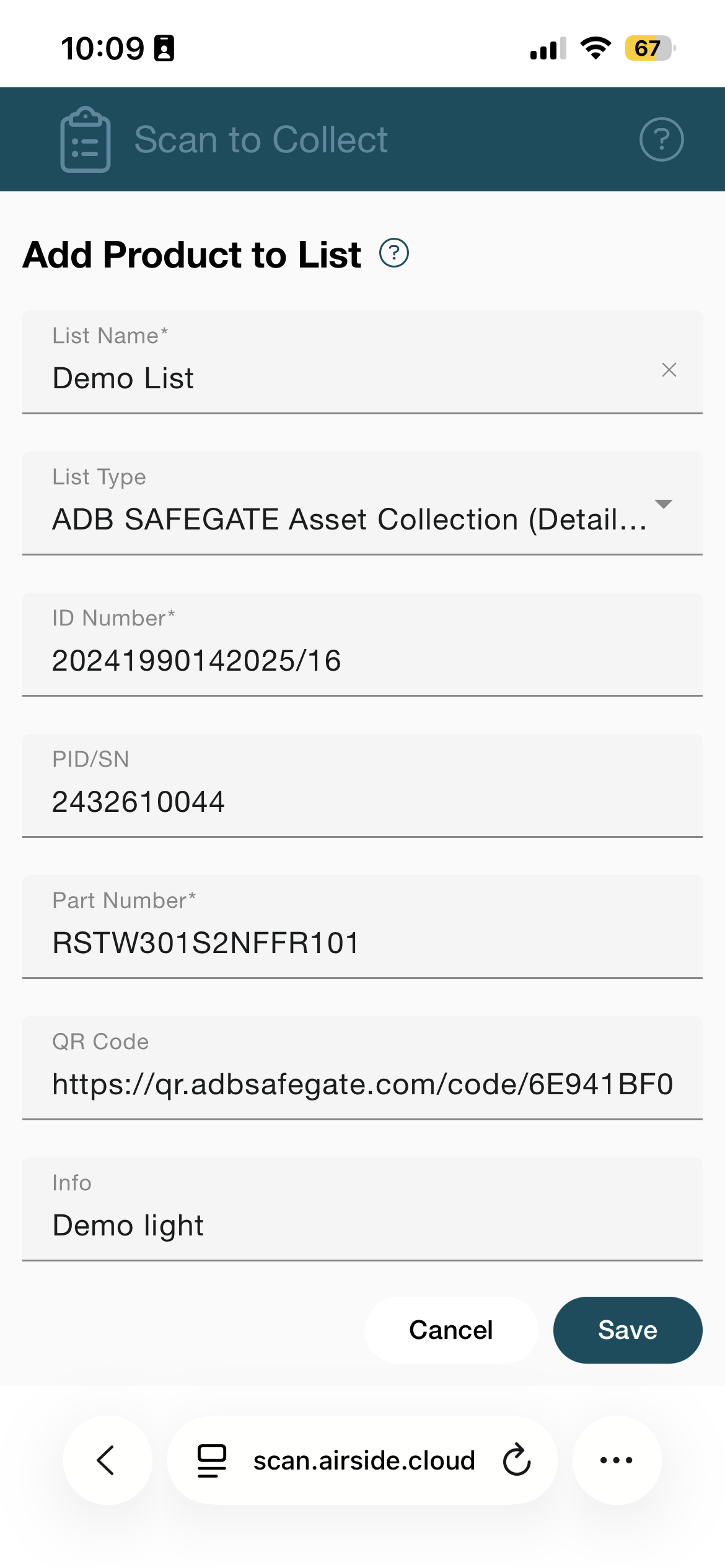
List Type - ADB SAFEGATE Asset Collection (Detailed): For ADB SAFEGATE products, scan to register unique IDs and product properties, with options to specify the reason for scanning and add custom notes.
List Type - Universal Asset Collection (Single Entry): Register asset replacements by scanning both the previous and new codes, capturing location and details for improved traceability.vUniversal Barcode support, scan any barcode or QR code for general asset management. This method is designed for AXON EQ replacement task.
Barcode filters and Audio signal for more comfortable scanning.
Open Access: No login or registration required—just open the app and start collecting data. The data is stored on-device.
Support Resources: Access the support section directly in the app or visit ADB SAFEGATE Service Desk for help and documentation.
How to Use:
On your Mobile device : scan.airside.cloud https://scan.airside.cloud/tasks
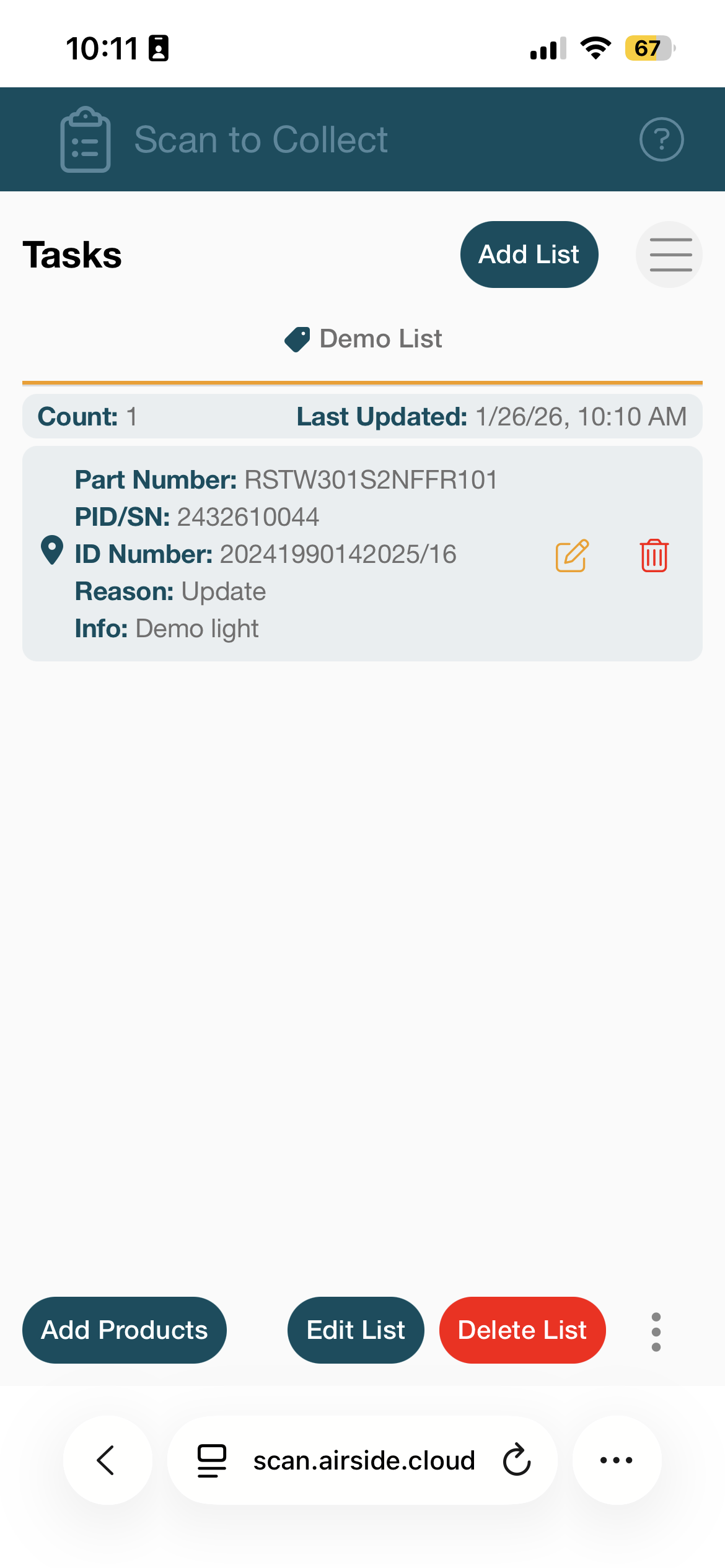
Create a list and start adding Products by scanning products
add an optional Reason or Info
BONUS - This also registers the location where the scanning is done !
| 
| 
|
|---|
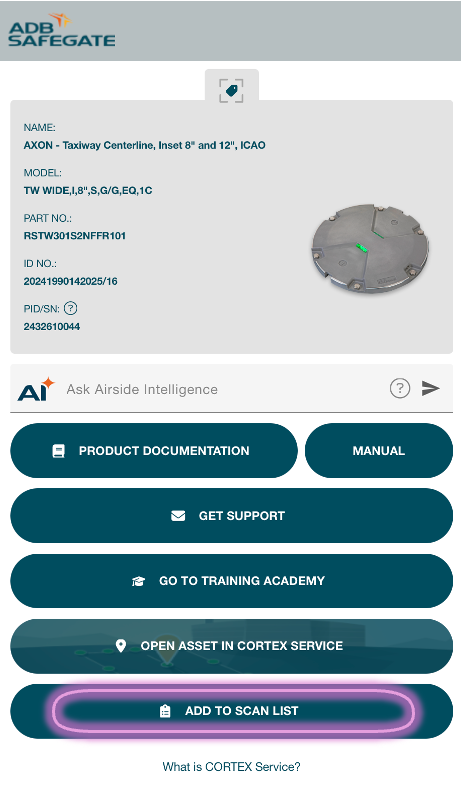
OR - Scan a QR code on a QR enabled Product a tap the ' Add to Scan List ' button
|  |  |
|---|---|---|
|
|
|
You can now download or share the list as needed!
Data collected from the example above
listName | listType | name | previousCode | newCode | qr | partNumber | serialNumber | pid | info | reason | latitude | longitude | updatedAt |
|
Demo List | assetCollection |
|
| https://qr.adbsafegate.com/code/6E941BF0-4082-4F50-8357-51DFF6EDCDFC | RSTW301S2NFFR101 | 20241990142025/16 | 2432610044 | Demo light | update | 50.8763319 | 4.49747246 | 2026-01-26T09:10:40.181Z | ||