
How to select lights that are on top or too close to each other?
Use the multi selection tool → highlight that area → on the right side, you will see that you have selected both lights.
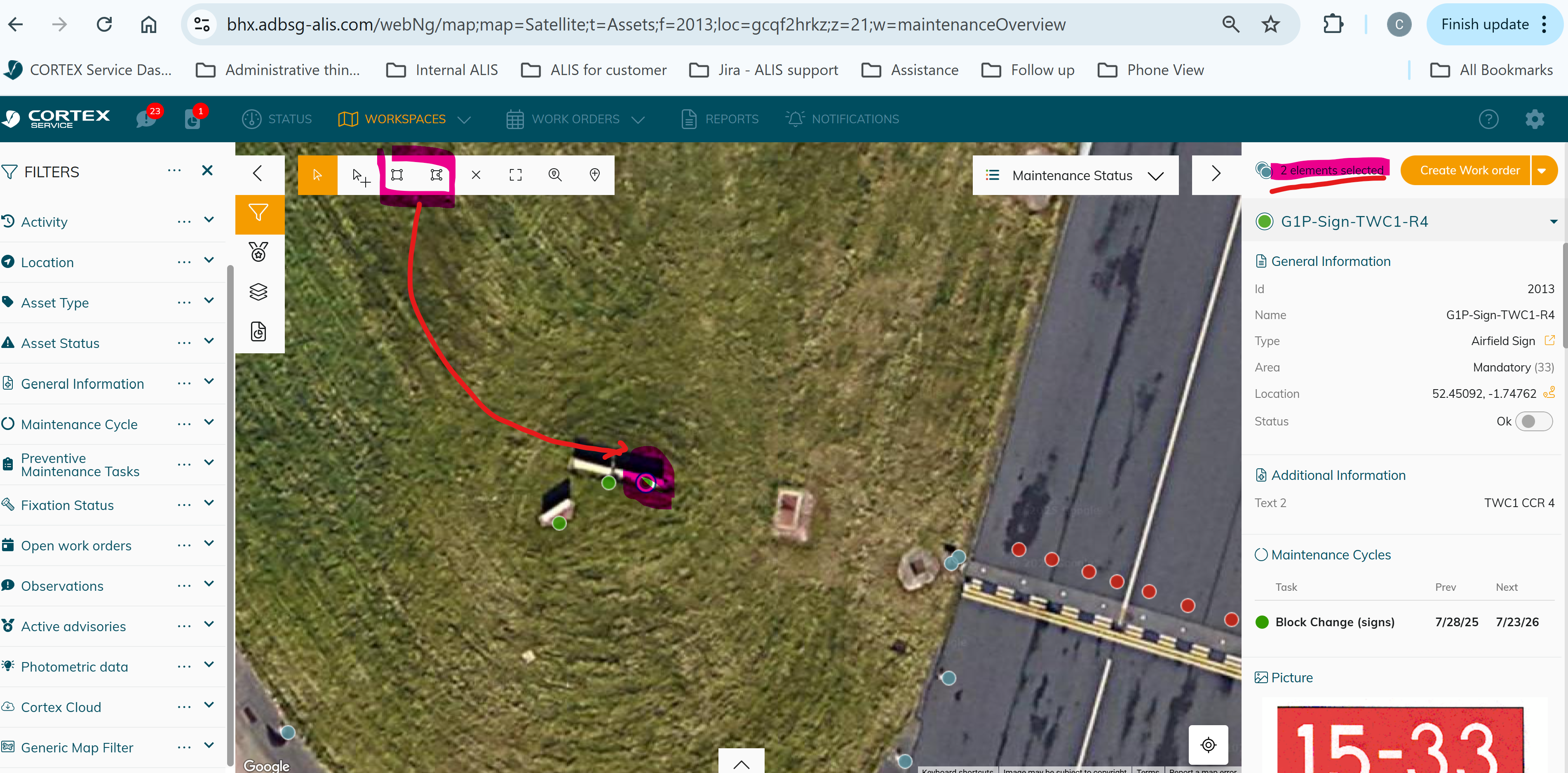
Then you can use the drop down to show each light and you can now select the light underneath.
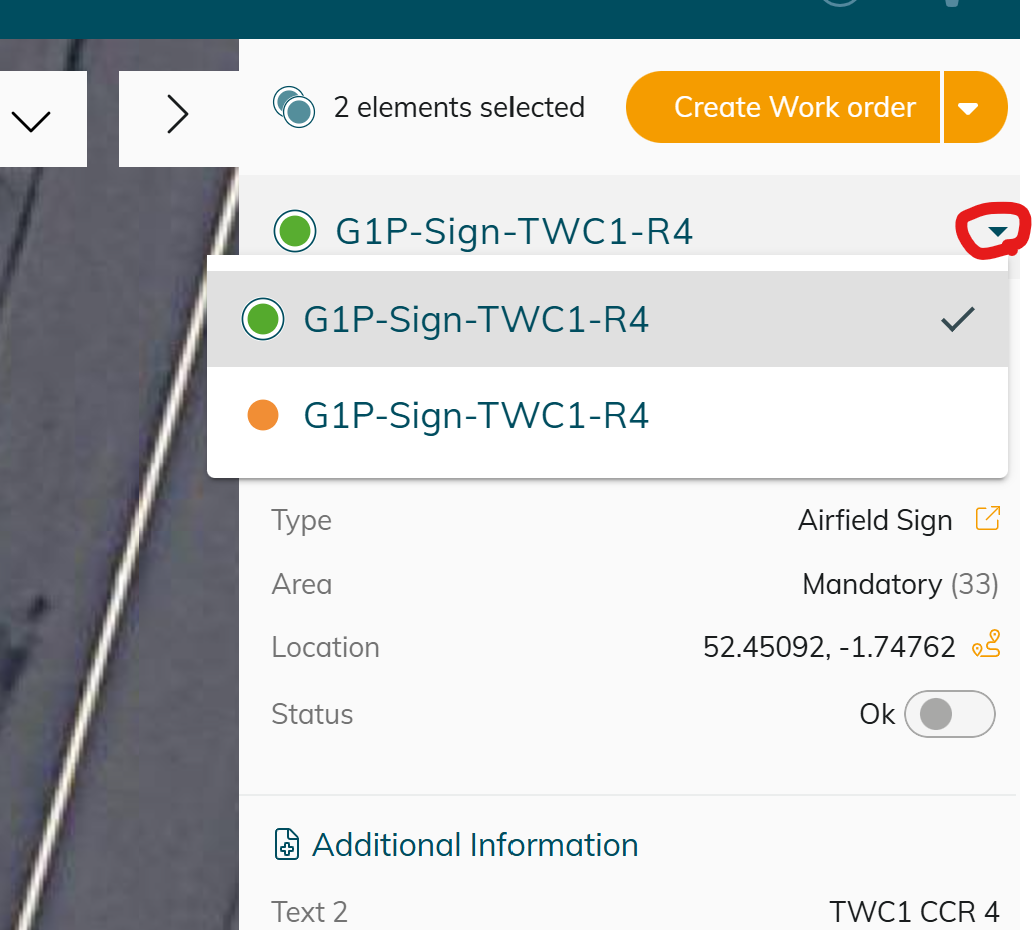

We don’t recommend putting the lights on top of each other to avoid confusion when you visualize the map.