
Quick start for new users !
Welcome to CORTEX Service from ADB SAFEGATE our airside maintenance management, registration and inspection solution. We trust that you will find the product easy to use and reliable during your day-to-day maintenance tasks.
What is CORTEX Service ?
CORTEX Service is a cloud-based CMMS and stands for Airside Location-based Inspection & Service. It utilizes a combination of unique software and advanced hardware to provide the ultimate solution in asset tracking and maintenance systems. CORTEX Service was specifically developed to aid in the maintenance and asset tracking of airfield ground equipment. Be it runway, taxiway, approach or apron equipment, elevated or inset and even Gate maintenance.
It's core function is bringing visibility, work order management and reporting for :
Assets preventive maintenance status & actions
Assets corrective maintenance actions
Assets operational status and follow-up
Assets reported observations and follow-up
Quick-start
In this article, we would like to point you in the right direction on how to setup and configure your CORTEX Service instance for Airside maintenance management.
You should have received or waiting for your instance details and credentials in order to login and find an empty airport. It is now up to you to populate and configure the different assets we want to track in the system.
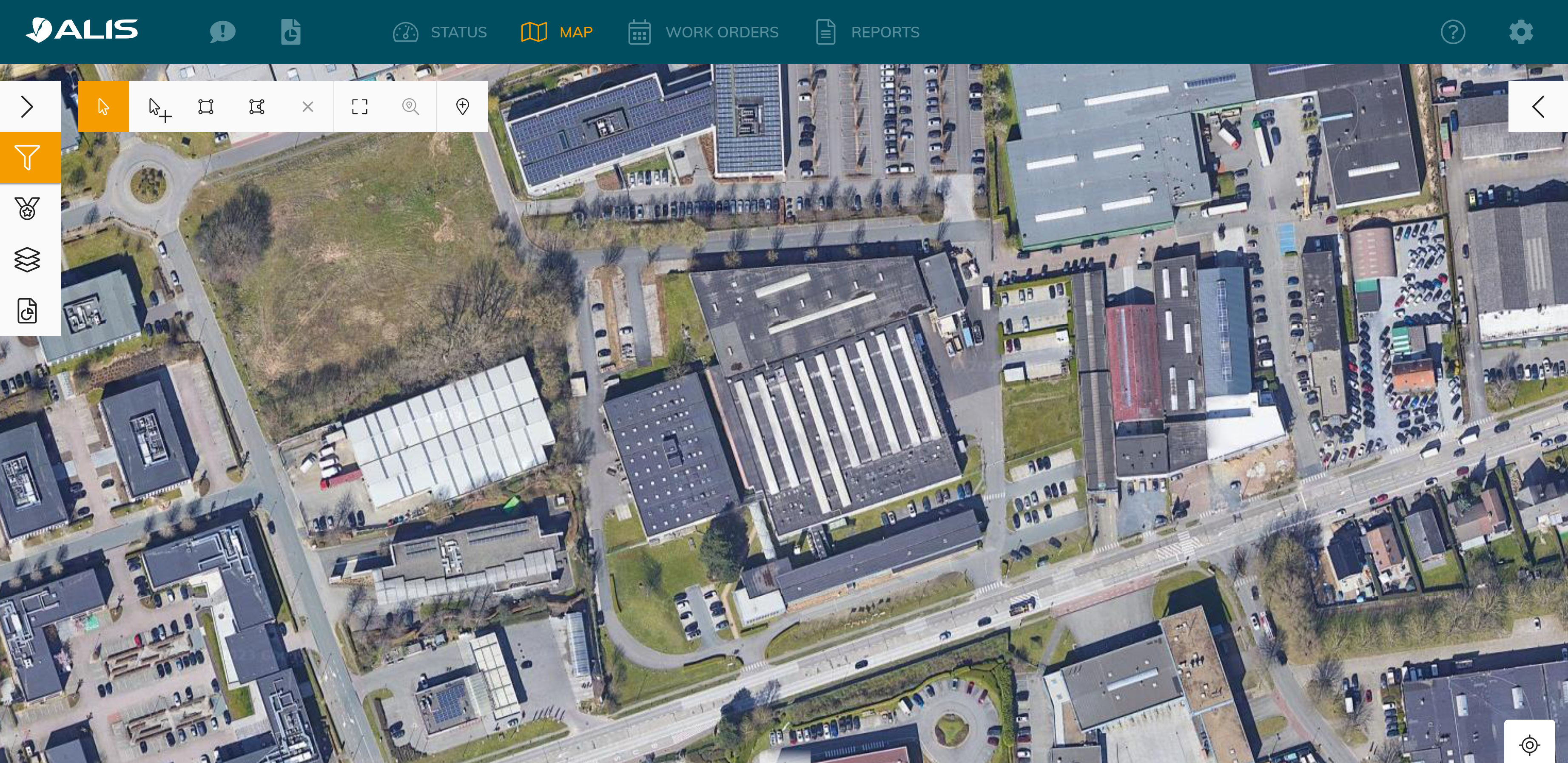
Example of Mapspace

You can find an overview of the configuration support pages here and learn about the terminology ! Configuration & Setup
Step-by-step guide
Gather your asset Data for creating the digital twin
The following information is required in order to create the assets in the system:
The asset "name"
The asset "type"
The main- and subarea
Its location in the world (latitude/longitude or UTM)
That information can be retrieved from different sources
Through an export of an AutoCAD sheet (Ask us if you need help with that!)
Through an existing list of your installed base
Through a survey ( last resort option)

Looking for an easy way to collect the different Product data field or location data when installing or receiving your products? Use our https://scan.airside.cloud/ Mobile Web App tool to create a list of your different products. More information on How -to Scan to Collect
Create your maintenance tasks and Asset types in CORTEX Service based on your gathered data and desired maintenance regime.
Follow our maintenance task and asset type configuration here: CORTEX Service - Maintenance tasks configuration
Have a look at the instruction video - CORTEX Service a new instance to get some help there if needed ( you will start off with an empty asset list in this case)
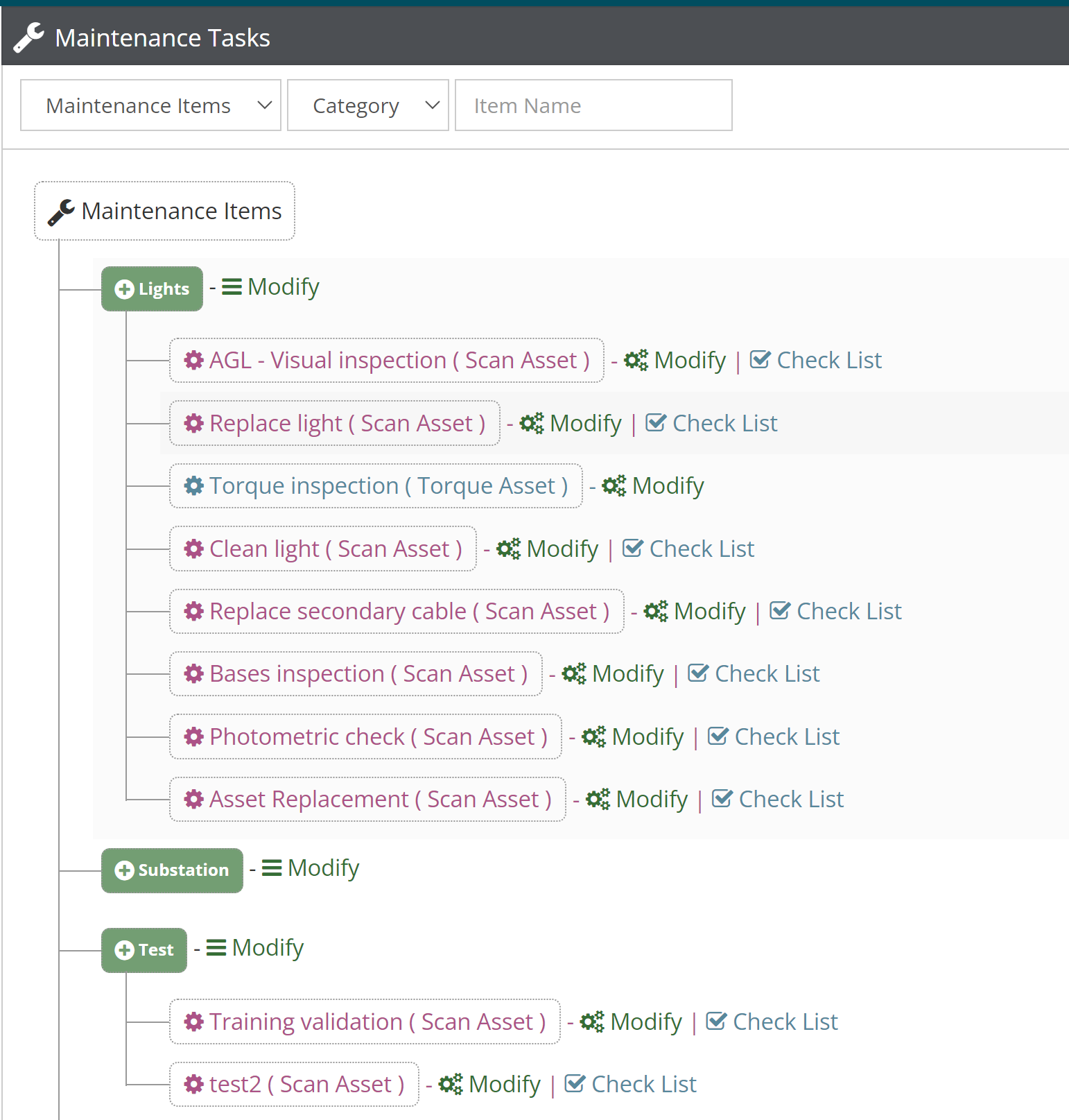
Maintenance Tasks examples
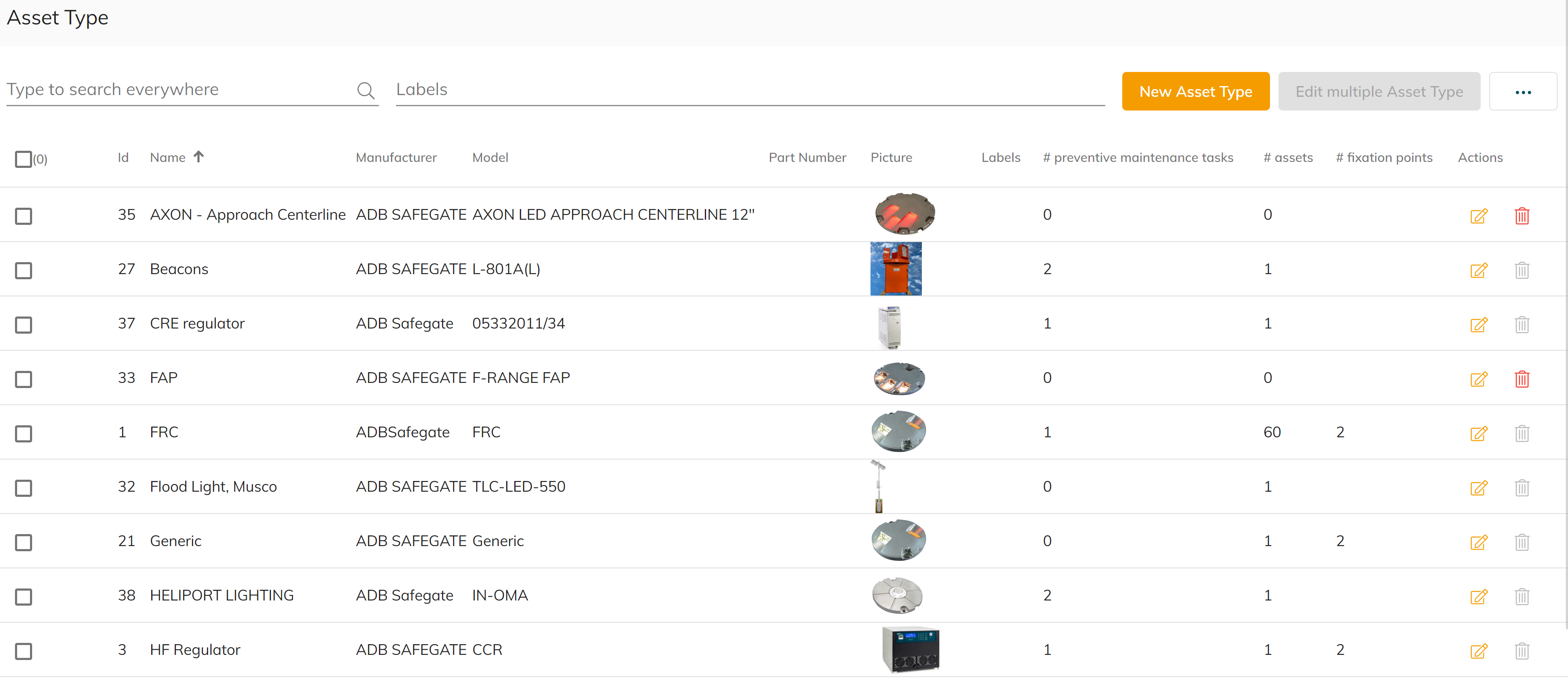
Asset Type examples
Create/Edit/Delete your assets using either of these 2 options:
a. By using drop-a-pin function in this guide Create/Edit/Delete assets
b. By Structure your data and headers in excel to match our Asset import module requirements and import your asset data into CORTEX Service by following this guide Import/export instruction video.
Drop-a-pin function is recommended for adding a small amount of assets.
Using import/export method is recommended when you have a huge amount of assets.
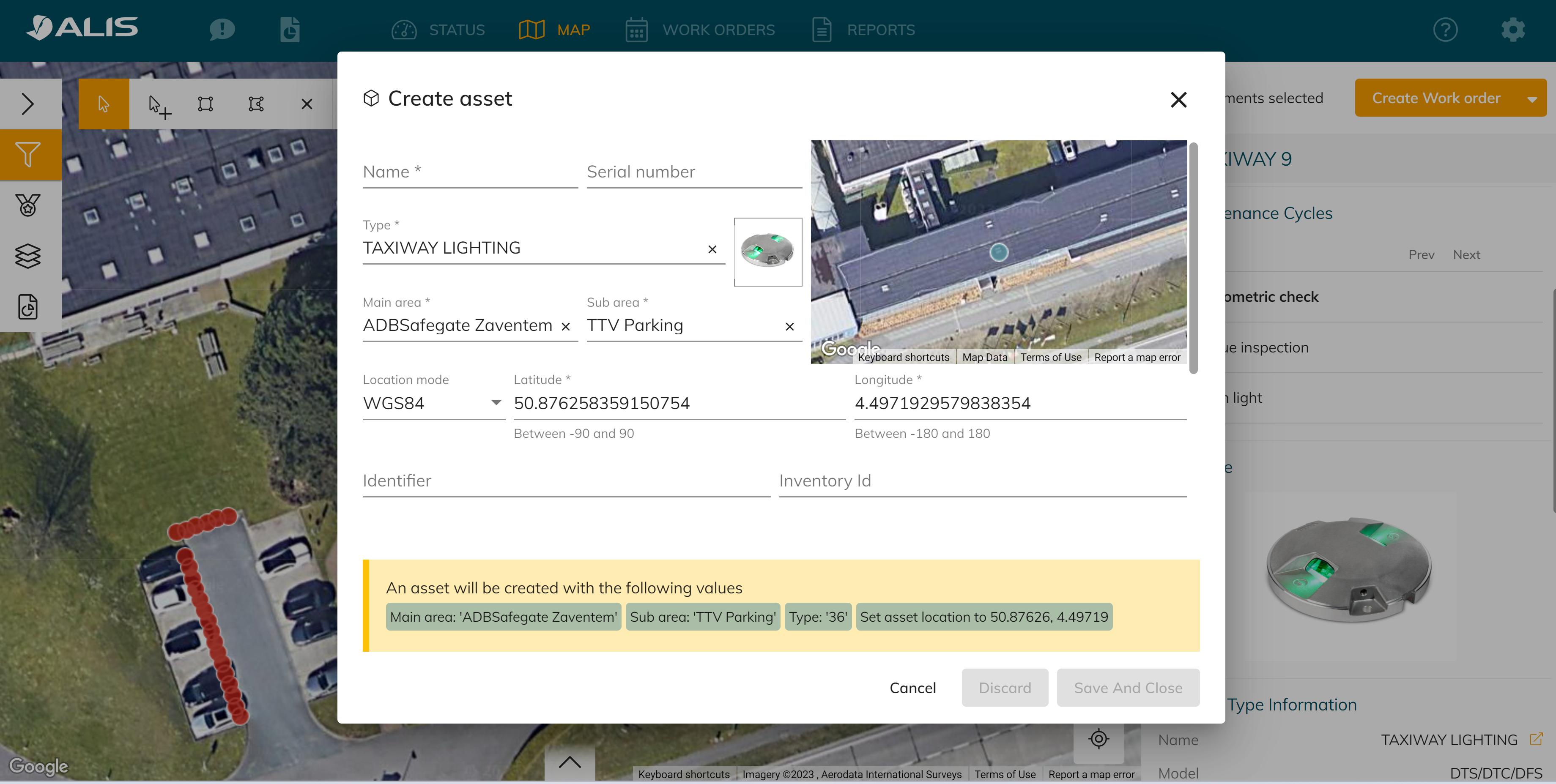
Example of how to create an asset using drop-a-pin function
Create user accounts for your colleagues in order for them to get access to the CORTEX Service instance with the appropriate roles.
Success! Your instance is now ready for use and it's time to start creating those work orders - maintenance registrations or on-site observations Web maintenance registration! Also see General navigation and core functions to increase the use of CORTEX Service in your airport.