

🤔 Problem
You are not able to select an asset on the map in the ALIS native iOS and iPadOS apps.
🌱 Solution
You need to have at least 1 maintenance task in the maintenance task configuration page.
-
Login to your ALIS Web instance and go to “Settings>Maintenance >Maintenance tasks”
https://IATA.adbsg-alis.com/webNg/settings/assets/maintenanceTasks -
Create a new “Category” (ie: “AGL”)
-
Create a new maintenance task and select the “Scan asset” or “Torque asset” validation method.
-
Restart the iOS/ iPadOS app and login again.
-
You should now be able to select the assets
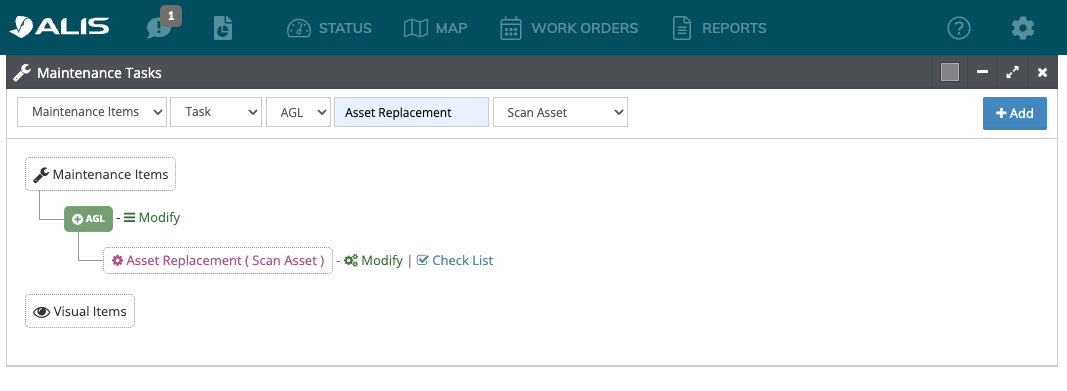
In order to select the asset in the native app, the system needs to have a default task to select, if there are no maintenenace tasks, you are unable to select the asset