

Manager review needed: the Observation severity "No Safety Effect" has been renamed to "Informative" and is now hidden on the map by default for every customer. No observations are removed or lost — they're still fully visible in the asset's Observations history. See the "Informative Observations" section below to change this behaviour.
Release date: July 10, 2026
New
Informative Observations
We introduced a new Informative severity for Observations (previously labelled "No Safety Effect"). It's designed for logbook-style entries — installation notes, commissioning remarks, or any non-urgent note you want on an asset's history without it showing up as an open issue.
Informative observations no longer show a marker on the map by default, so map views stay focused on actionable issues. This is configurable per severity level in the new Observation Settings page.
Where to find it: click the gear icon (top right) > Observations > Observation Settings. Each severity has a "Visible on the map" toggle — Informative is off by default, all other severities remain on.
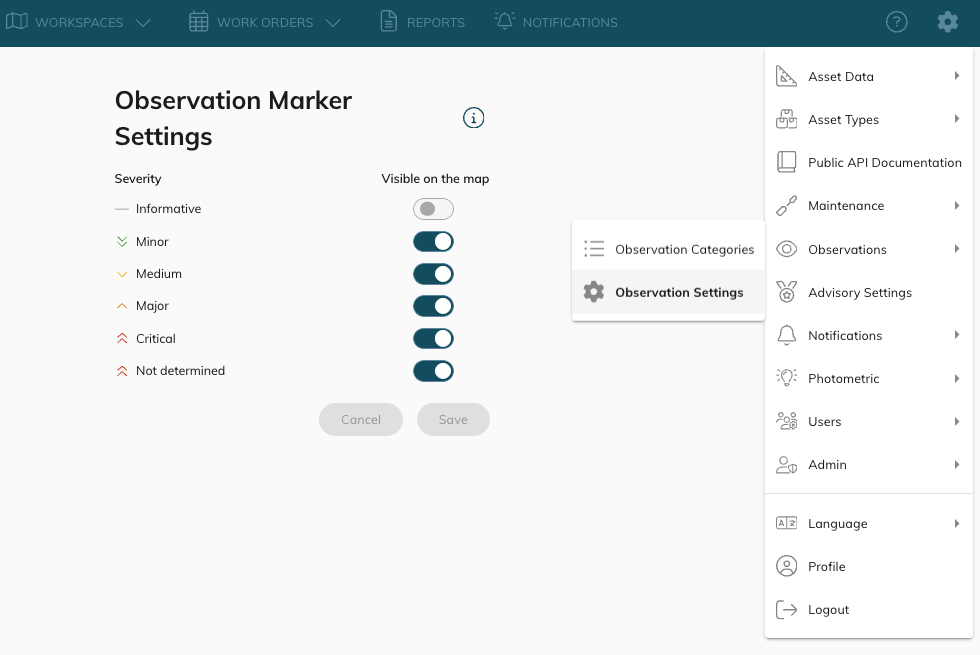
⚠️ Enabled by default for everybody. If you want Informative observations to keep showing a marker on the map, switch the toggle back on in Observation Settings. This feature is live on CORTEX Service web now, and will follow on the CORTEX Service iOS app.
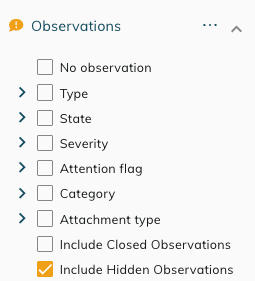
Tip: want to see your hidden observations temporarily, without changing the setting? Use the new "Include hidden observations" option in the Observations filter to bring them back into view for that session.
Asset Flagged as Faulty Notifications
CORTEX Service can now send a notification the moment an asset is flagged as Faulty — alongside the existing notifications for Observations and Work Orders. The Event to select in your Notification subscription is “Asset flagged as fault”.
The notification includes the asset name, asset type, location, and a direct link to the asset detail page, and can be delivered by email or Microsoft Teams. Subscribe or unsubscribe to this event independently from your other notification preferences.
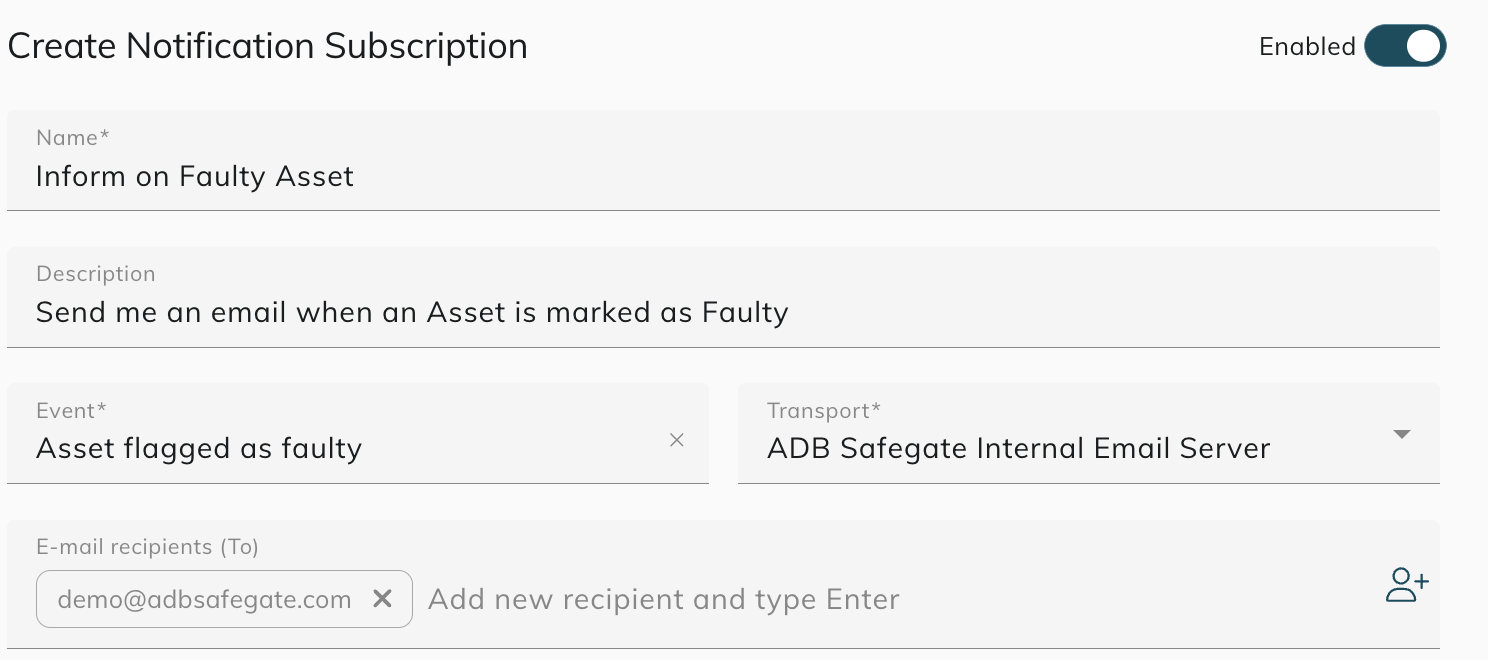
For the full walkthrough of setting up email and Teams delivery, see https://support.cortex-service.airside.cloud/cortex-service-manual/instant-notification-for-observations-and-workorde.
Filter by Legend — Workspaces
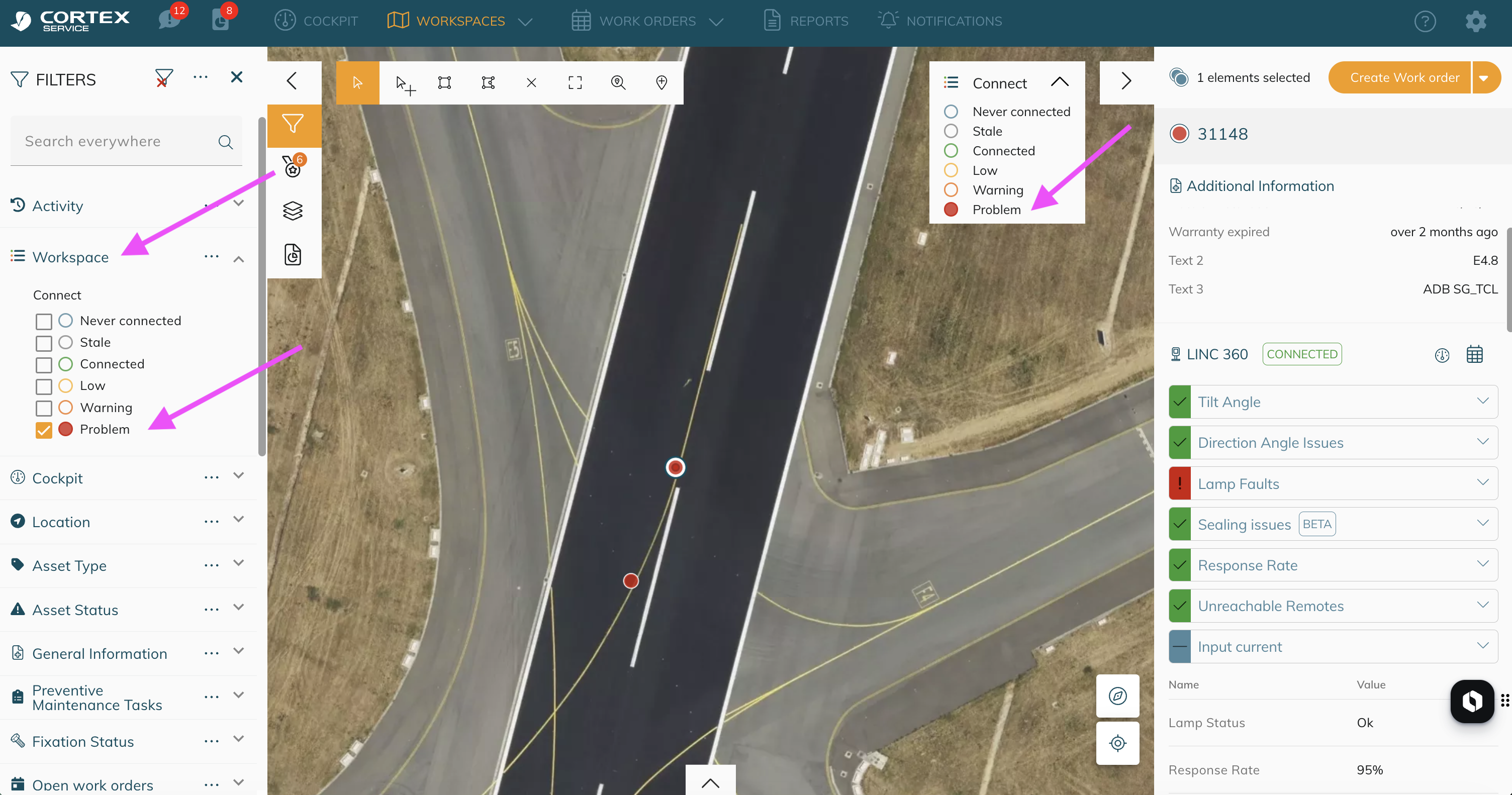
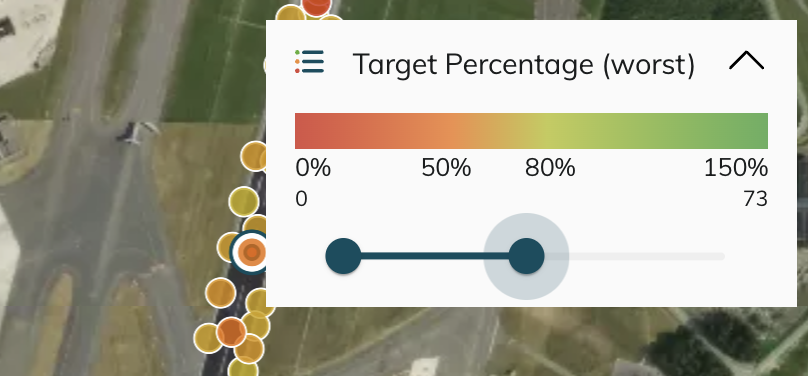
You can now click directly on legend items in the map legend, in any workspace, to filter which assets are shown. Select one legend item to isolate that state or value range; select more to add them to the filter. No more jumping to the filter panel just to isolate one condition.
-
The active filter appears in a new Workspace filter panel, alongside your other filters, so you always know what's hiding assets from view.
-
Multi-select is supported — click several legend items to show only those combined.
-
For legends that show a gradient (for example, Photometric illumination), use the gradient selection and the map filters assets within that value range.
-
Selecting a different workspace clears the Workspace filter automatically, so you never end up filtering on a legend that no longer applies.
Improvements
Map rendering engine: Google Maps → Mapbox
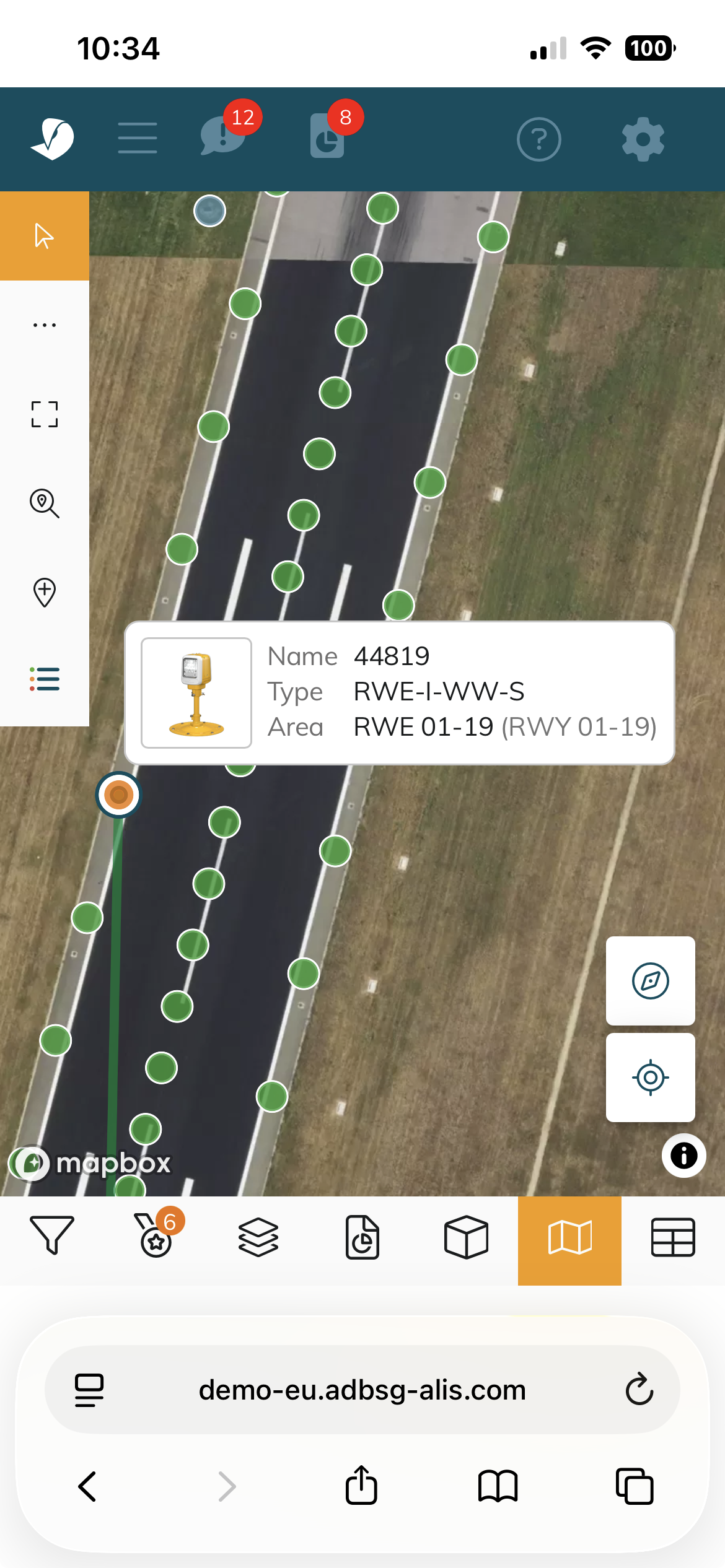
We upgraded the underlying map rendering engine from Google Maps to Mapbox GL JS across the whole system — Connect, Cockpit map view, and asset placement. This is a foundation change that improves performance, especially on large sites, and unlocks more refined map styling going forward. It should also bring more up-to-date satellite imagery for some of our customers.
All of your existing interactions — asset selection, zoom, pan, layer toggling, and area highlighting — work exactly as before. Nothing to relearn here, just a faster and more capable map underneath.
⚡ Good to know: improved mobile map interaction
The mobile version of the map has a refined interaction model. Tapping an asset now selects it and shows the asset tooltip; tapping the tooltip itself takes you through to the full asset details. This two-step interaction makes it much easier to select multiple assets on a small screen without accidentally opening the wrong one.
Bug Fixes
-
Observations date range filter: selecting an end date in the Observations date range filter used to exclude observations logged on that day itself (it was interpreted as the very start of that day, 00:00:00). The full selected day is now included in results — across the list view, Cockpit tile, and exports.
Have a suggestion for a new feature? Send it to us through the https://adbsafegate.atlassian.net/servicedesk/customer/portal/11/group/18/create/96.