

In order to record the serial numbers of the LINC 360 - AxonEQ numbers you can use ALIS - “Replace Identifier” function . Have a look at the video below to see how it works.
Steps
-
Make sure all assets are pre-registered in ALIS ( location based) - Make sure to use the same naming for the assets as will be used in the LINC 360 configuration
-
Login to the ALIS app and verify the location of the asset no it’s location
-
Take the fitting that will be installed on that location -
-
Select the asset in the map in the ALIS app and use the “Replace Identifier” button
-
Scan the Linc360 code
Not the product and not the serial number of the light! The LINC 360 is the separate sticker
-
Tap on the correct Barcode
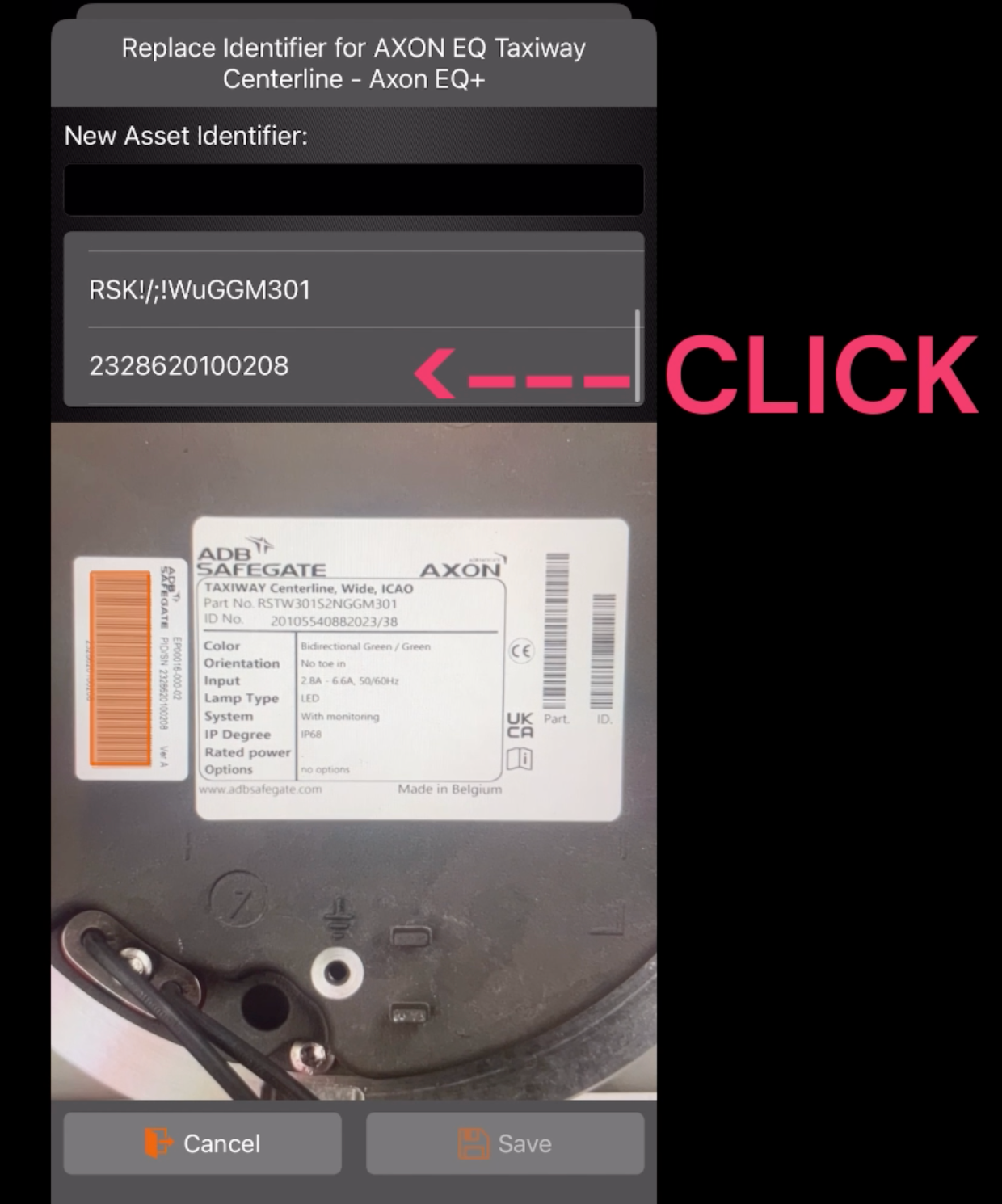
-
Continue the installation of the fitting
-
You will now be able to download the Data from the ALIS webAPP in excel