

Contractor accounts can be created for external contractors that should have limited access to the assets information.
Web app access
|
Airport maintenance manager account |
Contractor accounts |
|---|---|
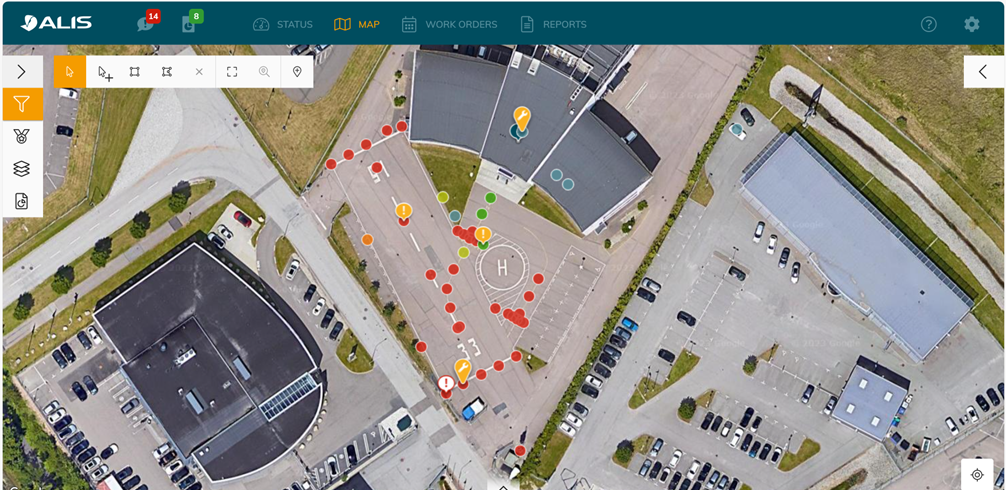
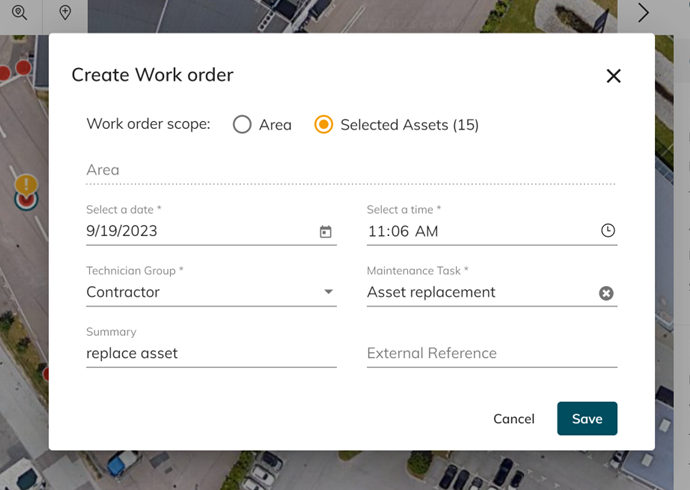
|
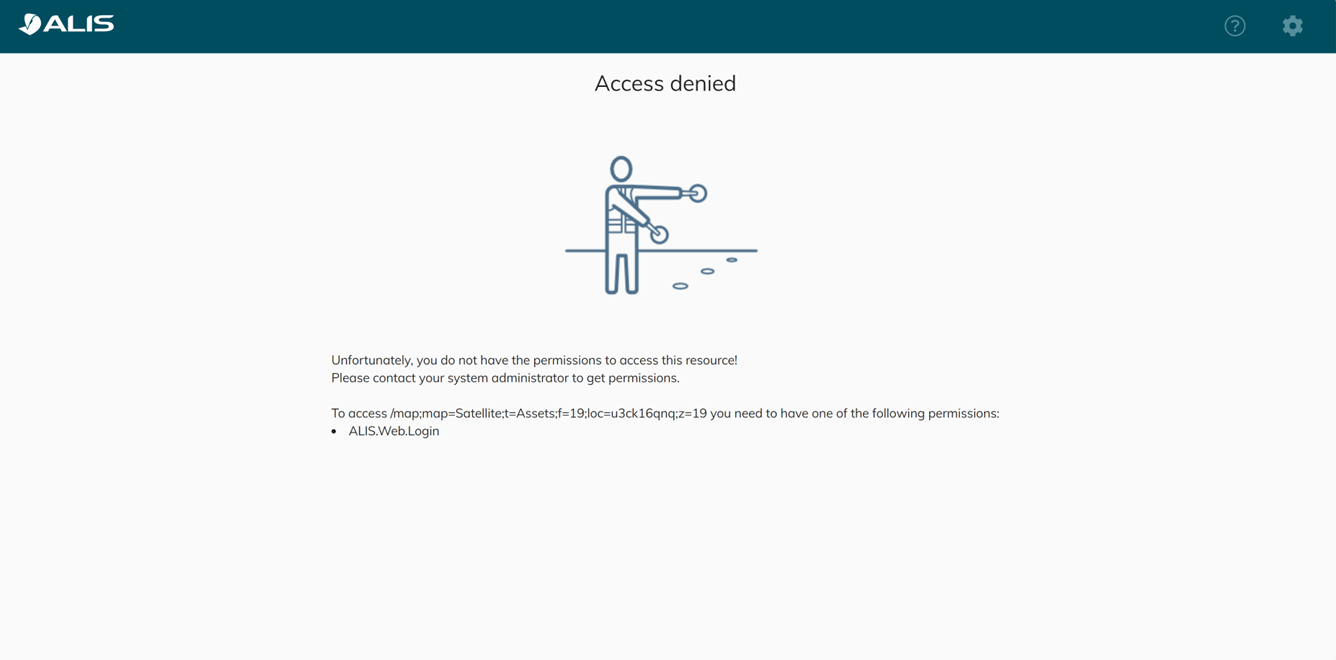
|
|
|
iOS devices for contractors
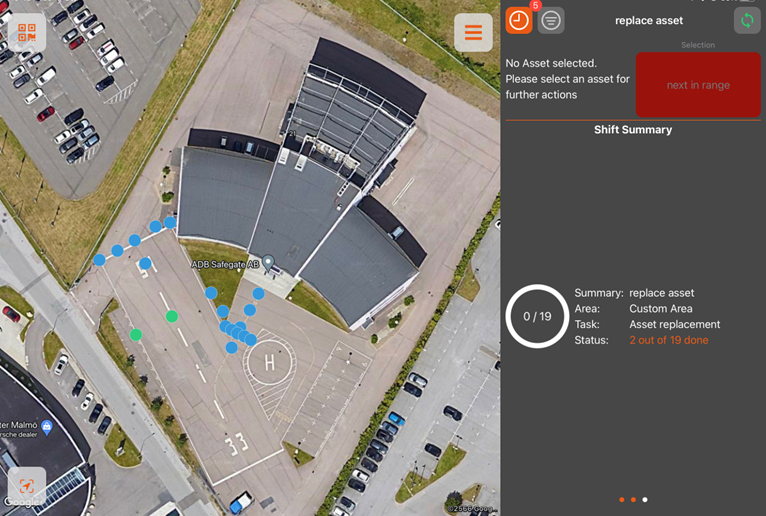
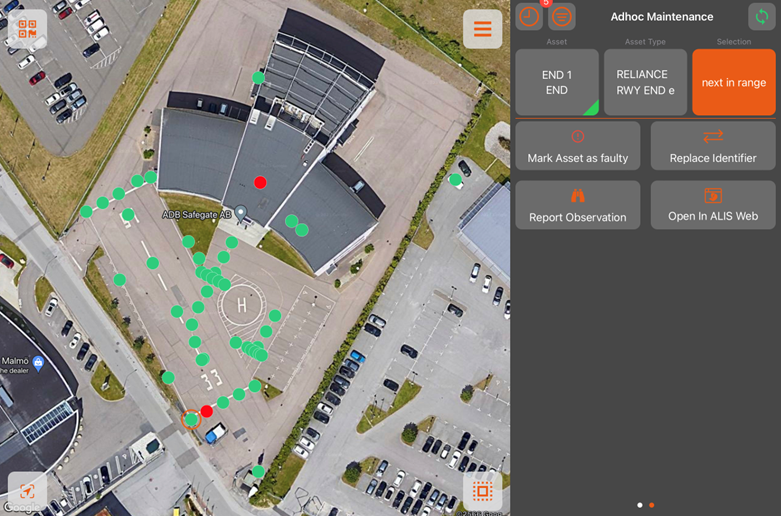
Here contractors can:
-
Receive work orders
-
See shift summary that are only assigned into their group
-
Register torque maintenance (They can perform work using the ALIS wrenches to torque bolts)
-
Mark and see faulty/non faulty states of the assets.
-
Report observations
How to create contractor accounts
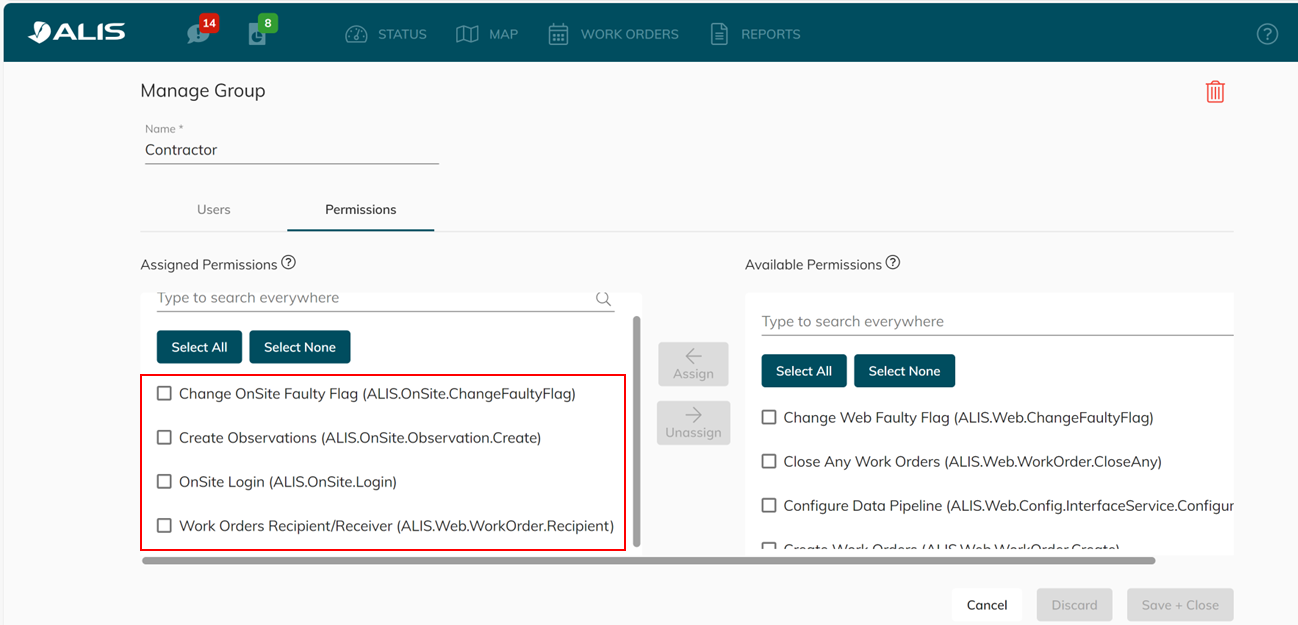
In the web app:
-
Setting –> Users –> Manage Groups –> New Group
-
Assign users that are contractors into this group
-
Go to ‘Permissions’ and assign ONLY the 4 red indicated permissions for this group
This way we only grant access into the IOS device but not the webapp for the contractors