

-
Install iTunes on your computer if not done so earlier (https://support.apple.com/en-us/HT210384)
-
Connect the Device with a USB cable to your laptop
-
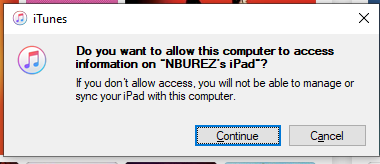
'Trust' the device so your laptop is allowed to access the device
-
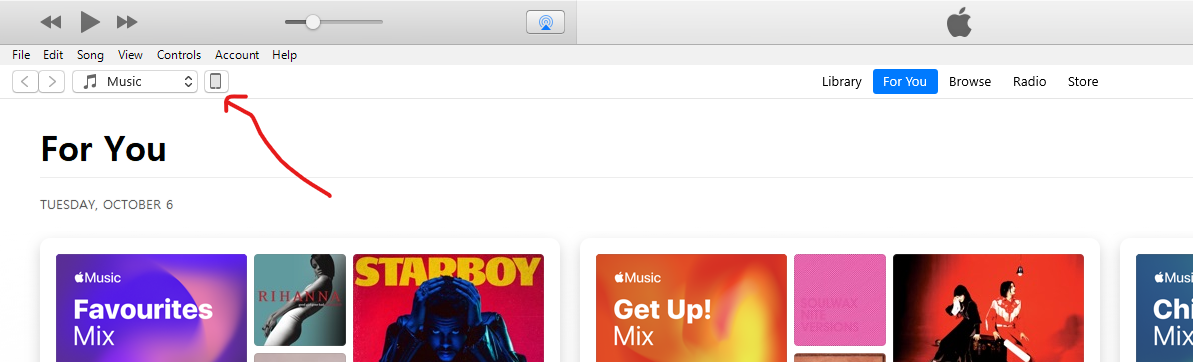
Open iTunes and navitegate to the Device
-
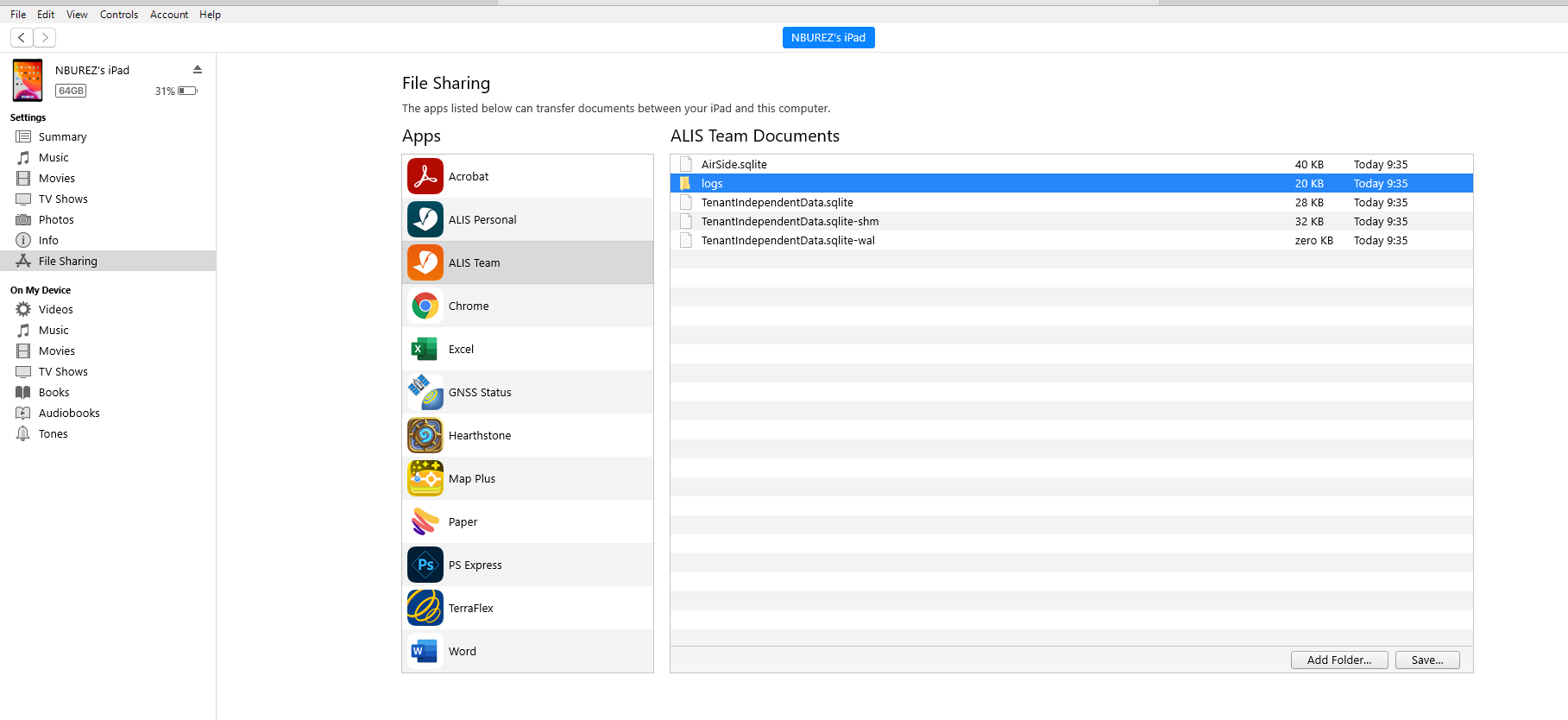
Go To File Sharing → ALIS TEAM → Locate the LOGS folder
-
Select the "logs"folder and press SAVE.
⚠️ Make sure that you select the logs folder, NOT the files below it.
-
Select an appropriate location.
-
Navigate to that location on your computer and send the logs folder ( zipped or not ) to your Jira ticket. If you didn't create a ticket yet, you can do it here: https://adbsafegate.atlassian.net/servicedesk/customer/portal/11